Welding
Welding, with margin per hour and certifications in order
If you place welders with other companies, your margin is the difference between what an hour costs and what you bill. CantiVera works it out person by person, and keeps an eye on the qualifications that let you work.
Where the margin leaks
Different rates per client
The same welder is billed at one rate with one client and another with the next.
Underestimated full cost
People reason on pay, not on contributions, travel and surcharges.
Expiring qualifications
An expired certificate stops the crew on site.
How CantiVera helps
- 1
Margin per hour and per person
Full cost against billed rate, job by job.
- 2
Contract rate
The rate agreed on a contract wins over the standard one.
- 3
Deadlines that update themselves
Licences and welding certificates flagged before they expire.
- 4
Hours confirmed by the crew lead
Bill only verified hours, with the same number the client sees.
Most used features in welding
Voice agent for activities
Describe the day out loud; the agent fills in job, item, people and hours. You confirm.
Deadlines and reminders
Licences, welding certificates, medical checks: CantiVera reminds you ahead of time, by email and on your phone.
Revenue and margin while the job is open
Earned revenue minus full cost while the work is still running, not at year end.
Roles designed for the site
Owner, site manager and worker each see what they need. Costs never reach workers.
One-tap clock-in
Clock in and out from the app, with an on-site check and no location stored.
Activities and hours
Every hour belongs to a job and an item: it is the data everything else starts from.
The data chain
Enter it once. It flows all the way to the margin.
Each link feeds the next without retyping anything: from the quote to the analysis, the same data runs through the whole job.
- 1
Quote
The estimate with hours and costs.
- 2
Job
The quote becomes work, with client and crew.
- 3
Report or plan
Items from the PDF, or phases and tasks.
- 4
Hours
From the app, a clock-in or a paper sheet.
- 5
Costs
Hours at full cost, plus subcontracts and rentals.
- 6
Analysis
Deviations, risks, revenue and margin.
Data is entered once and flows all the way to the margin. No spreadsheet in between.
Without changing the job site
Everyone logs hours the way they prefer.
By voice, in the app, with one tap or by pen on a sheet. The hours all land in the same place, on the right item.
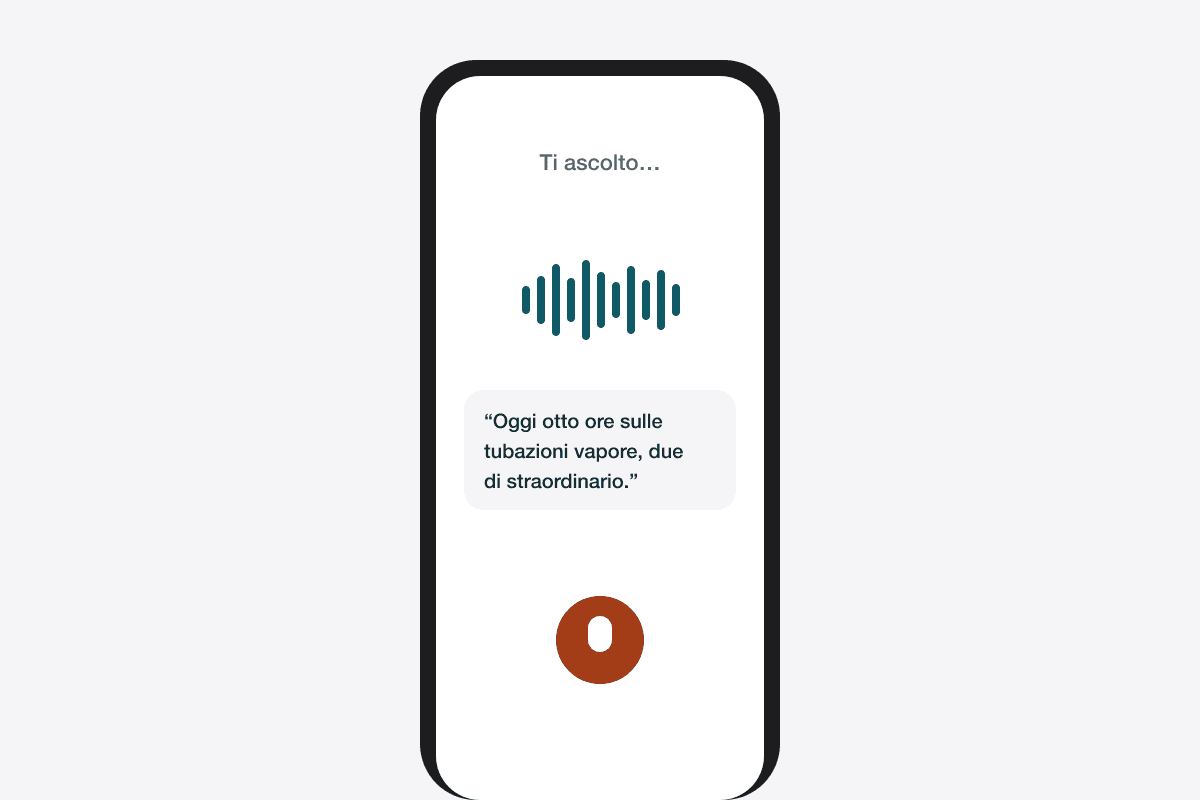
By voice
Say what you did and the voice agent fills in the activity. You confirm.
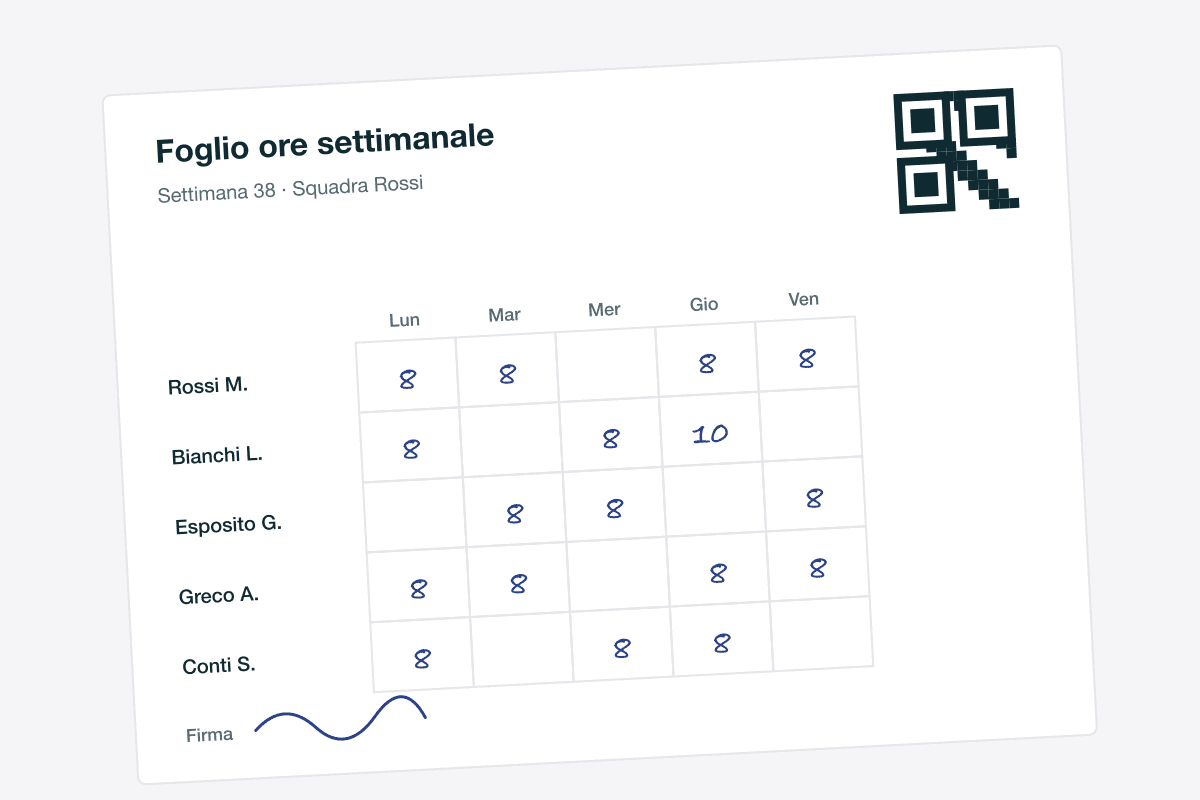
Signed sheet, read by AI
The crew writes by pen, you photograph the sheet. AI reads names and hours and enters them for you.
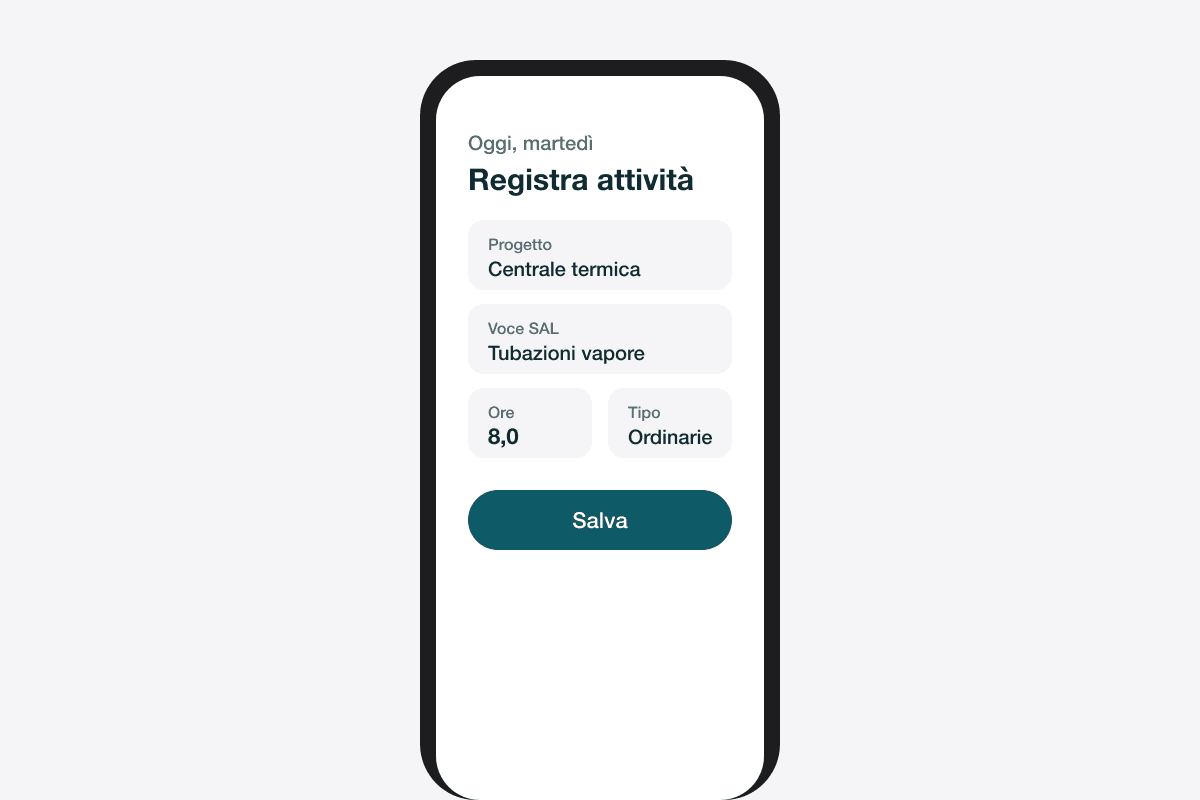
In the app
Activities, hours and photos from the phone, on the report item or the task.
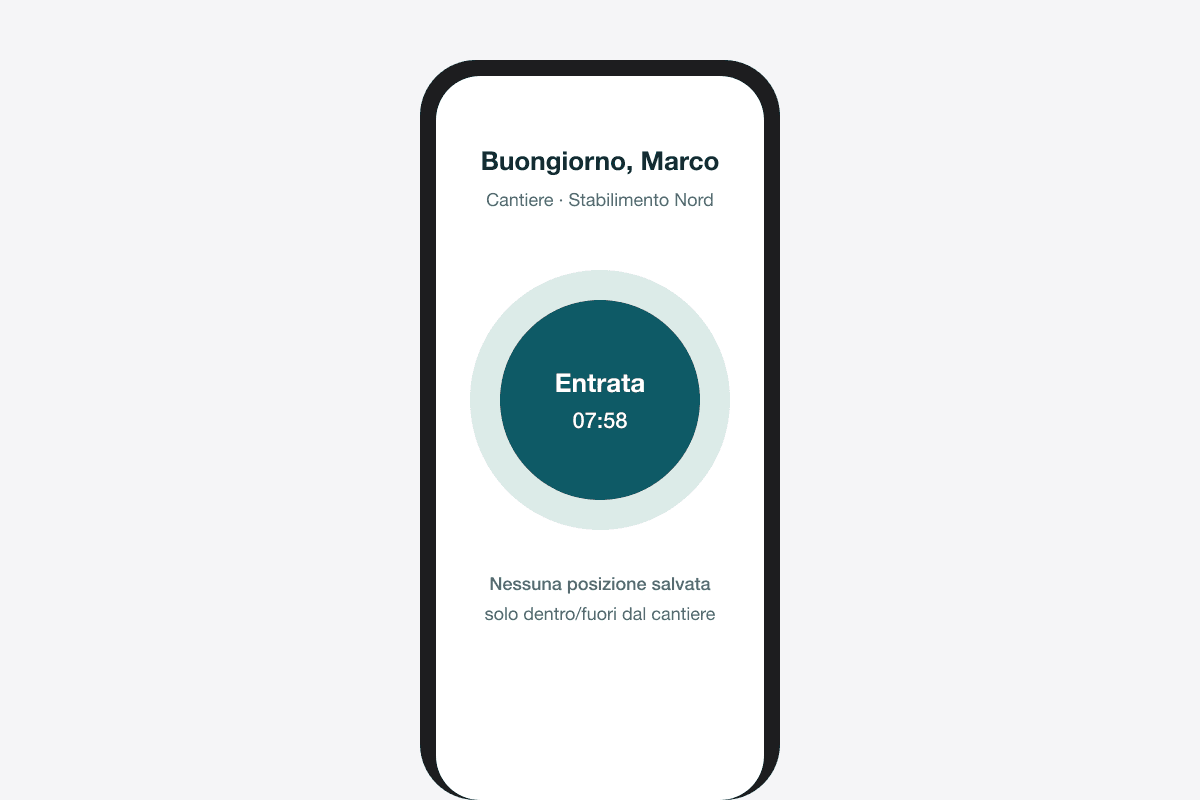
One-tap clock-in
Clock in and out of the site. No location stored, consent required.
Double-counted hours do not get through
Four channels mean the same hours can come in twice: a clock-in and a signed sheet for the same day. CantiVera recognises the overlap and does not count it. Costs, progress and invoices stay true.
See your job sites as they really are.
A thirty-minute demo on one of your real jobs: we upload the report, connect the hours and look at the margin together.
No commitment. A person replies within one working day.